Are you using an email signature? Consider this…Every email you send out is an opportunity to remind people of what you do and how to reach you.
When you had a job, your company made you use an email signature block, right?
Your employer knew that this was a great way to brand the company and it was good customer service! It made it easier for people to contact you. It also made you look professional.
Your personal email needs one too, for all the same reasons, especially so let’s fix this!
Benefits
If you haven’t set up your personal email signature block, you need to do that TODAY! Here’s why:
- Makes you appear more professional
- It’s easier for people to contact you
- Showcases your personal brand/career focus
- Shows you have some amount of technical knowledge
What To Include
The information you include should help people know more about you and what you do. If you are job searching, do not include that information in your signature. Instead highlight your key skills and occupation you are pursuing.
Jacob Share wrote a very helpful post on what to include and how to construct it. You can find that post here.
Here’s a summary of what he says should go in your email signature
Required elements are bolded, the rest are recommended where relevant:
Name
Tagline
Title(s), Organization
Association Membership
Phone numbers (mobile/land/fax)
Website/Social media profiles
Image
Cool Tool
Now, if you really want to kick your signature up a notch, consider adding WiseStamp. I downloaded the add-on and customized my signature in less than 5 minutes. I liked including the social media icons!
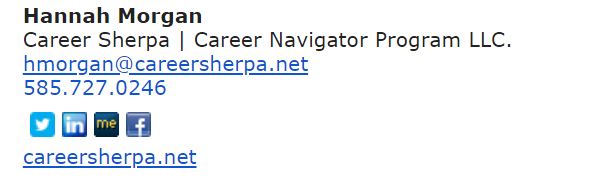
For more help on how to set up your signature block (on gmail or Outlook) read 7 Tips To Help You Get A Better Email Signature

Hannah Morgan speaks and writes about job search and career strategies. She founded CareerSherpa.net to educate professionals on how to maneuver through today’s job search process. Hannah was nominated as a LinkedIn Top Voice in Job Search and Careers and is a regular contributor to US News & World Report. She has been quoted by media outlets, including Forbes, USA Today, Money Magazine, Huffington Post, as well as many other publications. She is also author of The Infographic Resume and co-author of Social Networking for Business Success.